
How to Build CRM Landing Pages for Lead Generation

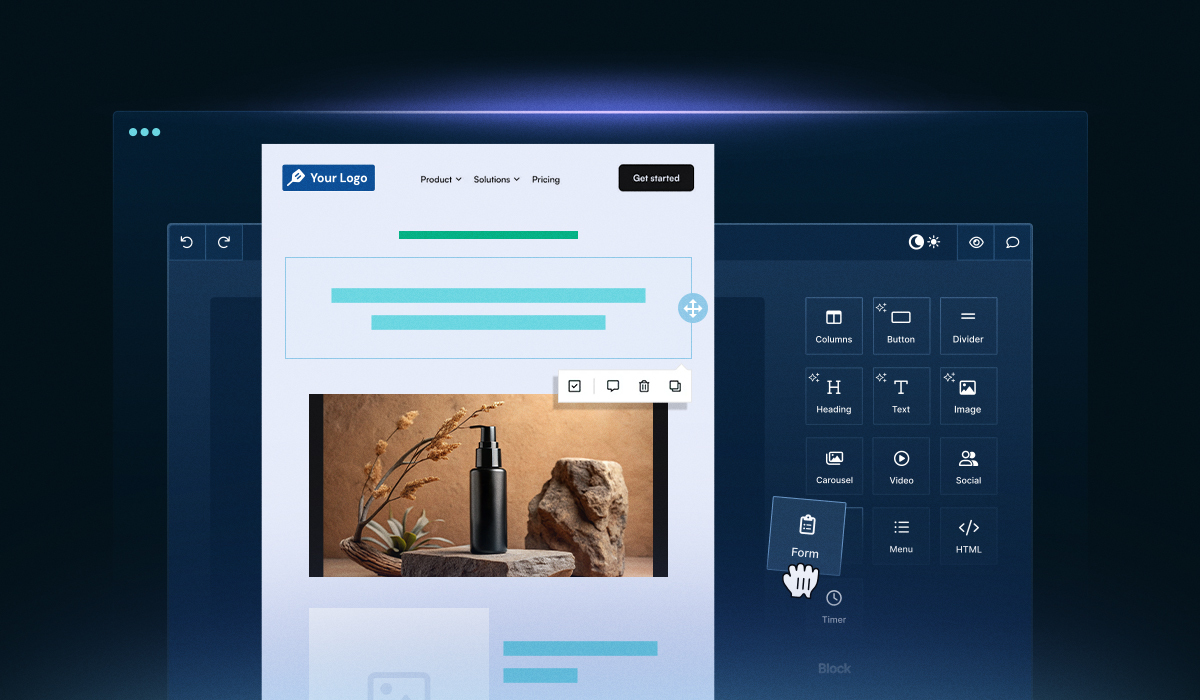
Landing pages are one of the fastest ways to capture leads—and building them directly inside your CRM makes the process much simpler. No more juggling multiple tools, wrestling with integrations, or syncing data manually. Your team can create landing pages, capture leads, and trigger workflows—all from a single platform.
But most CRMs don’t offer landing page builders that are flexible, easy to use, or conversion-focused. This creates friction for marketers and limits how quickly campaigns can launch.
With the right tools and approach, you can turn your CRM into a full lead-generation engine—boosting conversions and accelerating campaigns.
This blog covers why landing pages are crucial for lead generation and why CRMs need better landing page builders. It also walks you through the steps to build CRM landing pages for lead generation, along with actionable tips and best practices.
Why Are Landing Pages Crucial for Lead Generation?
Landing pages are more than just web forms—they are the central point where visitors decide to interact with your brand or move on. Unlike a homepage, which serves multiple purposes, a landing page has one clear goal: convert visitors into leads.
Here’s why they matter:
Focused Messaging: Landing pages let you spotlight a single offer—whether it’s a webinar, eBook, free trial, or demo. This clarity drives higher conversions as compared to generic pages that try to serve multiple purposes.
Lead Capture Made Easy: With forms embedded directly on a landing page, prospects can share their information immediately, feeding directly into your CRM for automated follow-ups.
Improved Personalization: By integrating your landing pages with your CRM, you can deliver content that matches each visitor’s behavior, source, or previous interactions, creating trust and keeping them engaged.
Data-Driven Insights: Track visitor behavior, form submissions, and conversions. This helps you refine your campaigns continuously, ensuring every click delivers value.
In short, landing pages are the bridge between your marketing efforts and real results—setting the stage for the next step in converting those leads into loyal customers.
Why CRMs Need Better Landing Page Builders
CRMs are excellent for tracking leads, automating workflows, and managing customer relationships—but when it comes to creating landing pages, most fall short.
Here are key reasons why CRMs need robust landing page builders:
Marketing Teams Need Agility: Marketers must launch campaigns quickly to keep up with trends and opportunities. A slow or rigid CRM editor can create delays, making it harder to test ideas or respond to market shifts.
Better Design Flexibility is Essential: A landing page should reflect your brand, but many CRM editors offer limited customization, making pages feel generic or outdated.
Mobile Optimization Cannot Be Optional: With increasing mobile traffic, landing pages must render perfectly across devices. Many CRM tools do not provide sufficient control over responsive layouts.
Integration and Data Flow Must Be Seamless: Forms should sync instantly with your CRM—updating databases, triggering workflows, and enabling segmentation without additional setup.
Optimization Tools Are Needed: Built-in analytics, A/B testing, and personalization features are critical to improve conversions, yet most CRM editors provide minimal support for these.
In short, a CRM alone won’t guarantee high-converting landing pages—but with a clear process and the right builder, you can turn every visitor into a lead.
5 Steps to Build High-Converting Landing Pages in CRMs
Creating landing pages that consistently convert requires more than just dragging and dropping elements. Each step—from goal setting to optimization—plays a critical role in turning visitors into leads.
Here are the quick steps to follow:

Step 1: Define your goal
Before designing anything, you need a crystal-clear objective. A well-defined goal ensures every element on the page—from headline to CTA—drives toward the same outcome.
Consider the following when defining your goal:
Type of Offer: Whether it’s an eBook or a free trial, each offer needs a tailored design and message to really engage your audience.
Target Audience: To whom are you trying to reach out? Segmenting by persona helps you craft content that speaks directly to your audience’s needs and interests.
Desired Action: What exact action should the visitor take—fill out a form, book a demo, download content, or subscribe?
Success Metrics: Determine how you will measure conversion. This could be form submissions, click-through rates, or eventual sales.
By clearly defining your goal, you eliminate guesswork and create a landing page that’s laser-focused on conversion.
Step 2: Pick a CRM-friendly landing page builder
Not every editor lets you create pages the way you want. Many are frustratingly rigid, making it tough to design professional, on-brand, and high-converting pages. A strong landing page builder is one that gives you freedom, fast performance, and seamless integration.
What to look for in a landing page builder:
Drag-and-Drop Editor: Lets you design eye-catching pages without touching a single line of code.
Pre-Built Templates: Save time with templates designed for lead generation while still allowing customization.
Responsive Design: Pages should automatically adjust to mobile, tablet, and desktop screens.
Form Integration: Ensure form submissions sync automatically with your CRM fields.
Customization Flexibility: Ability to tweak branding, layout, colors, and fonts to align with your campaign and company identity.
For example, embedding a tool like Unlayer directly in your CRM gives marketers a no-code interface to create professional landing pages, fully integrated with CRM workflows. Get Started Now!

Step 3: Design a page that converts
Designing a lead generation landing page isn’t just about making it look pretty—it’s about guiding visitors toward one clear action. A well-designed page removes distractions, builds trust, and makes the decision to convert almost effortless. Here’s how to do it:
1. Keep your layout clean and focused
Use a clean structure to highlight the value of your offering.
Avoid extra images, links, or elements as they distract visitors from your primary goal.
Make good use of whitespace to guide attention—it helps people focus on what truly matters.
2. Craft a compelling headline
Headline is the first thing visitors see—make it clear, benefit-driven, and attention-grabbing.
Focus on the value your visitor gets, e.g., “Get Your Free eBook on Marketing Automation Today.”
3. Use engaging visuals
Images, graphics, or videos can make your page more appealing and help explain your offer.
Make sure visuals are relevant and don’t distract from the main CTA.
Consider using screenshots or product demos to build credibility.
4. Highlight a clear, strong CTA
Make the CTA button easy to spot—visitors shouldn’t have to look for it.
Words like “Get Started,” “Claim Your Spot,” or “Download Now” clearly instruct visitors on the next step and create a sense of urgency.
Use one clear CTA rather than multiple buttons to avoid overwhelming visitors and splitting their attention.
Position your CTA above the fold so visitors see it right away, and repeat it at the bottom for those who scroll. This ensures every visitor has a clear path to conversion.
5. Build trust with social proof and copy
Include testimonials, client logos, or success stories to show credibility.
Keep copy concise, benefit-focused, and scannable with bullet points.
6. Optimize for mobile devices
Many visitors will see your landing page on mobile—ensure the layout, buttons, and forms work perfectly on all screen sizes.
Test mobile responsiveness before publishing.
Focus on simplicity, clarity, and relevance when designing your landing page to maximize conversions and turn visitors into leads.
Step 4: Integrate forms seamlessly with CRM
Capturing leads is only half the battle—if they don’t go straight into your CRM and trigger follow-ups, you risk losing them. Integrating your landing page forms with your CRM ensures that they are organized and followed up on automatically—no manual work is needed. Here’s how to do it effectively:
1. Automate lead collection
Make sure every form submission feeds directly into your CRM in real-time.
Avoid manual data entry—it’s error-prone and slows down your follow-up process.
2. Segment leads immediately
Use form fields to gather important details, such as industry, company size, or product interest.
Assign tags in your CRM to organize leads on the spot—for example, “Marketing Download” or “Event Registration.”
Segmentation ensures your follow-up emails are relevant and personalized.
3. Assign leads to the right team members
Direct your leads to the appropriate sales reps or teams based on criteria like location, product interest, or lead score.
Even lead distribution among team members ensures faster follow-ups, prevents bottlenecks, and increases the chances of conversion.
4. Trigger automated follow-ups
After capturing leads, set up automatic workflows like:
Download links for resources
Nurture sequences for long-term engagement
Automation keeps your brand top-of-mind without manual effort.
5. Test the integration before launch
Submit a few test entries to ensure the data is flowing correctly.
Check that tags, lead assignment, and email triggers are working as expected.
Fix issues before making the page live to avoid losing valuable leads.
By connecting your forms to your CRM effectively, you turn your landing page from a static page into a lead-generating machine. Every visitor who converts is automatically nurtured, scored, and tracked—maximizing the ROI of your landing pages.
Step 5: Test, optimize, and track performance
To truly boost conversions, you need to test, launch, and continually optimize your pages. Even the smallest tweaks have a significant impact on lead generation. Here’s the approach:
1. Test everything before launch
Make sure all forms submit properly, and also data flows into your CRM as expected.
Double-check that CTAs, buttons, and links all work as they should.
Test across devices and browsers to ensure email responsiveness.
2. Use A/B testing to improve conversions
Experiment with variations of your page to see what works best. For example:
Headline wording
CTA button color or text
Image placement
Form length or fields
Run tests with a portion of your traffic, then implement the version that performs better.
3. Analyze key metrics
Monitor metrics like:
Conversion rate: How many visitors submit the form?
Bounce rate: Are visitors leaving without interacting?
Form abandonment: Are people starting the form but not finishing?
Traffic source performance: Which channels drive the most conversions?
4. Optimize continuously
Use the data you collect to make improvements over time.
Small tweaks—like changing a CTA or adjusting headline copy—can increase conversions significantly.
Keep testing new ideas regularly; landing pages should evolve with your audience.
5. Launch with confidence
Once testing and optimization are complete, officially launch your landing page.
Promote it via email campaigns, social media, or paid ads.
Check performance closely in the first few weeks to identify any issues and refine further.
By testing, analyzing, and optimizing your landing page, you can make it a dynamic tool that continuously improves your lead generation.
Best Practices for Creating CRM Landing Pages
To make your CRM landing pages truly effective, the small details matter just as much as the big ones. Here’s how you can boost conversions with confidence.

Only ask for what you truly need, such as name and email address. Use conditional fields for extra info so your forms don’t feel overwhelming.
Use strong, action-oriented CTA and place it above the fold and at the bottom of the page.
Match colors, fonts, and tone with your brand to create a cohesive, professional experience across all landing pages.
Personalize content whenever you can—by location, industry, or past interactions. When visitors see content that speaks directly to them, they’re more likely to take action.
Ensure forms, buttons, and visuals are fully responsive and easy to interact with on smartphones and tablets.
Add testimonials, client logos, case studies, or security badges to build credibility and reassure visitors.
Track bounce rates, conversion rates, and traffic sources to identify areas for improvement and make data-driven updates.
Conclusion
Building effective CRM landing pages for lead generation can be tricky. By following a clear process—defining your goal, choosing the right builder, designing a high-converting page, connecting forms to your CRM, testing, and optimizing—you can turn visitors into qualified leads effortlessly.
Using a flexible, CRM-friendly page builder like Unlayer makes the entire process faster and more efficient while keeping your branding consistent and your pages optimized for conversions.
Start implementing the best practices today, and watch your lead generation efforts become smarter, smoother, and more effective.
FAQs on Building Landing Pages for Lead Generation in CRMs
Q1. Why should I build landing pages inside a CRM?
Building landing pages inside a CRM ensures leads are captured in real-time, eliminates manual data entry, allows automated workflows, and keeps all lead information organized in one place.
Q2. Can I design custom landing pages without coding?
Yes! Tools like Unlayer allow you to create fully customized, mobile-responsive landing pages using a drag-and-drop editor—no coding required.
Q3. How do I improve landing page conversion rates in a CRM?
Focus on clear CTAs, concise forms, strong headlines, mobile-friendly design, personalized content, and continuous testing and optimization to maximize conversions.
Q4. Should I personalize landing pages for different audiences?
Yes! Personalization based on CRM data like location, industry, or previous interactions improves engagement and conversion rates.