
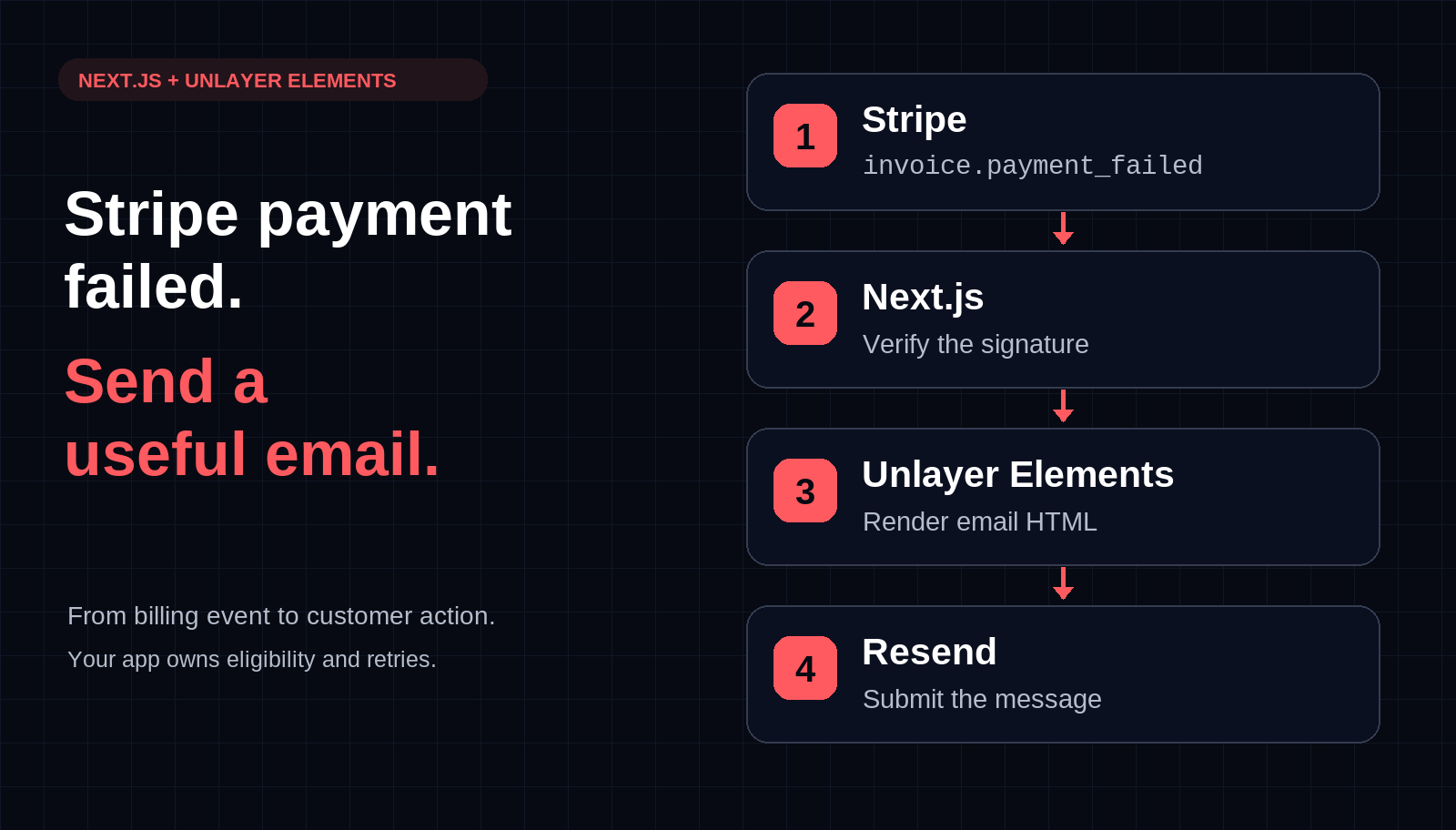
Send Custom Stripe Payment-Failed Emails with Next.js and React
Build a Stripe payment-failed email webhook in Next.js with Unlayer Elements and Resend. Preview the message, verify signatures, and plan bounded retries.

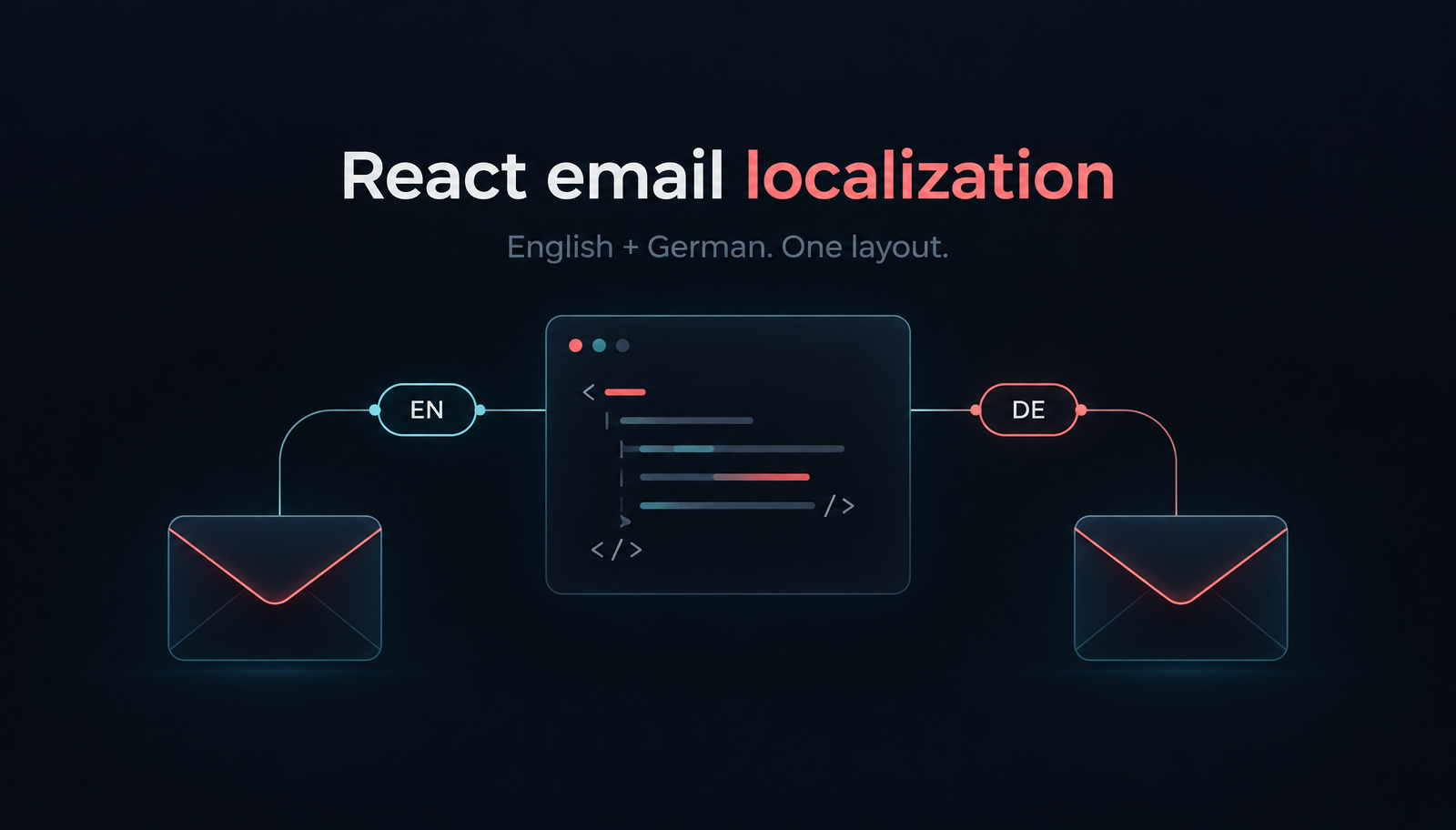
React email localization works best when you choose the recipient’s language before rendering, keep translated copy outside the layout, and format amounts for that locale. With Unlayer Elements, one React layout can produce English and German order confirmations without maintaining two separate templates. Your application chooses the language and supplies order data; Elements renders the content; your email provider handles submission.
Start with a small EUR-only confirmation: a subject, three order lines, a total and a link to the customer’s order. We’ll render it in an existing Next.js application, preview both languages without sending, then add a controlled Resend handoff.
Use a TypeScript Next.js App Router application with React and React DOM 18 or later. Install the content package and sending SDK:
npm install @unlayer/react-elements resendFollow the Elements installation guide for JSX configuration and keep your lockfile. This is code-first rendering, not the commercial drag-and-drop editor. There is no visual-builder SDK in this example.
Create emails/order-confirmation.tsx. The catalog holds complete English and German messages. Keeping both catalogs under one TypeScript shape catches missing message fields while you edit; it does not validate JSON loaded from a translation service.
import {
  Email, Row, Column, Heading, Paragraph, Button, renderToHtmlParts,
} from '@unlayer/react-elements';

type Language = 'en' | 'de';
type Copy = {
  heading: string; intro: string; order: string;
  total: string; cta: string; footer: string;
};
const copy: Record<Language, Copy> = {
  en: {
    heading: 'Thanks for your order',
    intro: 'We’ve received your order. You can review the details in your account.',
    order: 'Order', total: 'Total', cta: 'View order',
    footer: 'Questions about your order? Reply to this email.',
  },
  de: {
    heading: 'Vielen Dank für Ihre Bestellung',
    intro: 'Wir haben Ihre Bestellung erhalten. Die Details finden Sie in Ihrem Kundenkonto.',
    order: 'Bestellung', total: 'Gesamtbetrag', cta: 'Bestellung ansehen',
    footer: 'Fragen zu Ihrer Bestellung? Antworten Sie auf diese E-Mail.',
  },
};
export type Order = {
  id: string;
  items: {
    name: Record<Language, string>;
    quantity: number;
    lineTotalCents: number;
  }[];
};
function languageFor(requested?: string | null): Language {
  try {
    const tag = Intl.getCanonicalLocales(requested || 'en')[0];
    return tag.split('-')[0] === 'de' ? 'de' : 'en';
  } catch { return 'en'; }
}

export function orderConfirmation(
  order: Order, requested: string | null | undefined, origin: string,
) {
  const language = languageFor(requested);
  const c = copy[language];
  if (!/^[A-Z0-9-]{1,32}$/.test(order.id) || !order.items.length) {
    throw new Error('Expected an order reference and at least one item');
  }
  const base = new URL(origin);
  if (base.protocol !== 'https:' || base.username || base.password
      || base.pathname !== '/' || base.search || base.hash) {
    throw new Error('Expected a configured HTTPS origin');
  }
  const money = new Intl.NumberFormat(language === 'de' ? 'de-DE' : 'en-IE', {
    style: 'currency', currency: 'EUR',
  });
  let total = 0;
  const lines = order.items.map(item => {
    if (!Number.isSafeInteger(item.quantity) || item.quantity < 1
        || !Number.isSafeInteger(item.lineTotalCents) || item.lineTotalCents < 0
        || !item.name[language]?.trim()) throw new Error('Invalid order line');
    total += item.lineTotalCents;
    return `${item.name[language]} × ${item.quantity}: ${money.format(item.lineTotalCents / 100)}`;
  });
  if (!Number.isSafeInteger(total)) throw new Error('Invalid order total');
  const url = new URL(`/orders/${order.id}`, base).href;
  const totalLine = `${c.total}: ${money.format(total / 100)}`;
  const tree = (
    <Email backgroundColor="#edf1f5" contentWidth="600px" previewText={c.heading}
      fontFamily={{ label: 'Arial', value: 'Arial, Helvetica, sans-serif' }}>
      <Row backgroundColor="#172536" padding="28px 32px"><Column>
        <Paragraph color="#ffffff" fontSize="16px">PAPERTRAIL</Paragraph>
        <Heading headingType="h1" color="#ffffff" fontSize="28px">
          {c.heading}
        </Heading>
      </Column></Row>
      <Row backgroundColor="#ffffff" padding="24px 32px"><Column>
        <Paragraph>{c.intro}</Paragraph>
        <Paragraph>{c.order} {order.id}</Paragraph>
        {lines.map((line, i) => <Paragraph key={i}>{line}</Paragraph>)}
        <Heading headingType="h2" fontSize="22px">{totalLine}</Heading>
        <Button href={url} backgroundColor="#ff5a5f" color="#172536">{c.cta}</Button>
        <Paragraph fontSize="13px">{c.footer}</Paragraph>
      </Column></Row>
    </Email>
  );
  const { head, body } = renderToHtmlParts(tree);
  return {
    language,
    subject: `${c.order} ${order.id}: ${c.heading}`,
    html: `<!DOCTYPE html><html lang="${language}"><head>${head}</head>${body}</html>`,
    text: [c.heading, c.intro, `${c.order} ${order.id}`, ...lines,
      totalLine, `${c.cta}: ${url}`, c.footer].join('\n\n'),
  };
}
The layout follows Elements’ wrapper → Row → Column structure. Its rendering API documents renderToHtmlParts and the returned head and body. The plain-text version above is authored explicitly from the same copy and values, including the order URL.
lineTotalCents is already the complete amount for that line, not its unit price. This narrow example sums final EUR line amounts and assumes no separate shipping, tax or discount rows. Your commerce backend must supply the correct financial model before you extend it.
Create app/email-preview/route.ts. Next.js Route Handlers expose query parameters through NextRequest. This route uses one order and chooses only its presentation language.
import { type NextRequest } from 'next/server';
import { orderConfirmation, type Order } from '../../emails/order-confirmation';

export const runtime = 'nodejs';
const order: Order = {
  id: 'PT-1048',
  items: [
    { name: { en: 'Linen notebook', de: 'Notizbuch mit Leineneinband' },
      quantity: 1, lineTotalCents: 1800 },
    { name: { en: 'Desk organizer', de: 'Schreibtisch-Organizer' },
      quantity: 2, lineTotalCents: 6400 },
    { name: { en: 'Weekly planner', de: 'Wochenplaner' },
      quantity: 1, lineTotalCents: 4500 },
  ],
};
export function GET(request: NextRequest) {
  const message = orderConfirmation(
    order, request.nextUrl.searchParams.get('lang'), 'https://shop.example.com',
  );
  return new Response(message.html, { headers: {
    'Content-Type': 'text/html; charset=utf-8', 'Cache-Control': 'no-store',
  } });
}
Open /email-preview?lang=en and /email-preview?lang=de through your development server. Compare the heading, subject-building code, product names, button and amount formatting. Then try lang=fr: the supported-language policy intentionally falls back to English. An invalid tag also falls back rather than interrupting rendering.
The live German Elements preview shows the same message layout and values. It demonstrates the rendered email, not the Next.js route, locale resolver or sending integration.

The German heading wraps while the order lines, total and action remain in a single-column layout.
Keep this preview disconnected from real order lookup. Remove it from production or protect it as an internal preview. Replace the application origin and Papertrail branding before sending, and make sure your actual order page exists.
Use the language saved with the checkout or the customer’s explicit email preference. Resolve it on the server when preparing the confirmation. A later background worker has no useful browser language to consult, and an email-open event is too late to choose its contents.
The example groups German regional tags under German copy and de-DE amount formatting. Everything else gets English copy and en-IE formatting. That is a deliberately small policy, not support for every regional convention. Add a locale-to-catalog mapping if Austrian or Swiss formatting needs to differ.
MDN documents locale canonicalization and locale-aware number formatting. Translating “Total” does not change punctuation or the currency symbol’s position. Formatting an amount does not convert currencies either.
Keep an order’s language consistent across its subject, preheader, HTML, plain text and later notifications. Persist the resolved language with the notification record. Otherwise a changed account preference could make a retry produce a different message from the first attempt.
There are two different failures. An unsupported recipient language selects the complete English catalog. A missing product name in the selected language stops preparation. The latter avoids quietly mixing English product labels into a German confirmation.
TypeScript helps maintain the two in-code catalogs, but it cannot prove a translator supplied good copy or that external data matches Order. Validate externally loaded dictionaries and order data at your application boundary. Do not cast arbitrary request JSON to Order and treat that as validation.
Keep product names as text children, not strings assembled into a Paragraph’s html prop. The URL comes from trusted application configuration and a bounded order reference. Its destination must authenticate the visitor and authorize access to that order; knowing a reference is not permission to see it.
Put sending in server-only application code, separate from the GET preview. Resend requires an API key and verified sending domain. Set RESEND_API_KEY and MAIL_FROM in your server secret configuration. This helper is for one controlled submission after your application has selected an authorized recipient and eligible order:
import { Resend } from 'resend';
import { orderConfirmation, type Order } from './order-confirmation';

export async function sendConfirmation(
  order: Order, language: string, recipient: string, origin: string,
) {
  const apiKey = process.env.RESEND_API_KEY;
  const from = process.env.MAIL_FROM;
  if (!apiKey || !from) throw new Error('Configure server mail credentials');
  const { subject, html, text } = orderConfirmation(order, language, origin);
  const { data, error } = await new Resend(apiKey).emails.send({
    from, to: [recipient], subject, html, text,
  });
  if (error || !data?.id) throw new Error('Email submission unresolved');
  return data.id;
}
The send-email API accepts HTML and plain text. A provider response is not proof of delivery. This helper has no durable send record or duplicate protection: do not attach it directly to a retrying checkout webhook. Before automating, record an order-specific notification key, freeze its language and payload, and design bounded retries and reconciliation for ambiguous responses.
Use an address you control for the first submission. Never expose this helper as an unauthenticated endpoint accepting arbitrary recipients. Your application owns event eligibility, recipient selection and delivery state; Elements owns rendering. Our transactional-email guide explains that broader message category.
Start with long headings and product names at narrow widths, then compare a single-item order with a denser one. Avoid fixed-height text containers. A German label should wrap naturally instead of forcing you to shrink every language’s typography.
Have a fluent reviewer check tone and terminology, including subject lines and reply instructions. The footer assumes a monitored reply address; change it if that is not how your shop provides support. Browser previews help review layout, but you still need the email-client checks relevant to your customers. Neither this template nor a screenshot establishes universal inbox compatibility.
No. This implementation selects application-owned translations before rendering. Elements turns the resulting React tree into content. Changing the visual editor’s interface language is a different feature.
Not for this small catalog. A typed dictionary keeps the first version understandable. Introduce a translation library when pluralization, message extraction or translator workflows justify it, and resolve messages before passing them into the layout.
Not in this code-first example. A customer-editable experience needs a separate visual-builder workflow and a clear policy for how saved designs relate to translation catalogs. Visual edits do not reconstruct React source. Our React builder guide covers that integration route.
Open the German order-confirmation demo to inspect the layout, use the official Elements rendering API for the HTML composition, and start with Unlayer Elements for the code-first content layer. Keep language selection, order authorization and sending in the surrounding application.
Insights on email design, content creation, and developer productivity.
Build a Stripe payment-failed email webhook in Next.js with Unlayer Elements and Resend. Preview the message, verify signatures, and plan bounded retries.

Repeat an email block for each item with merge-tag loops in Unlayer. Build dynamic property listing emails, save editable templates, and export HTML from lists.

Build an Unlayer appointment-reminder editor with merge tags, save and reload design JSON, and export personalized HTML with explicit missing-name fallbacks.