
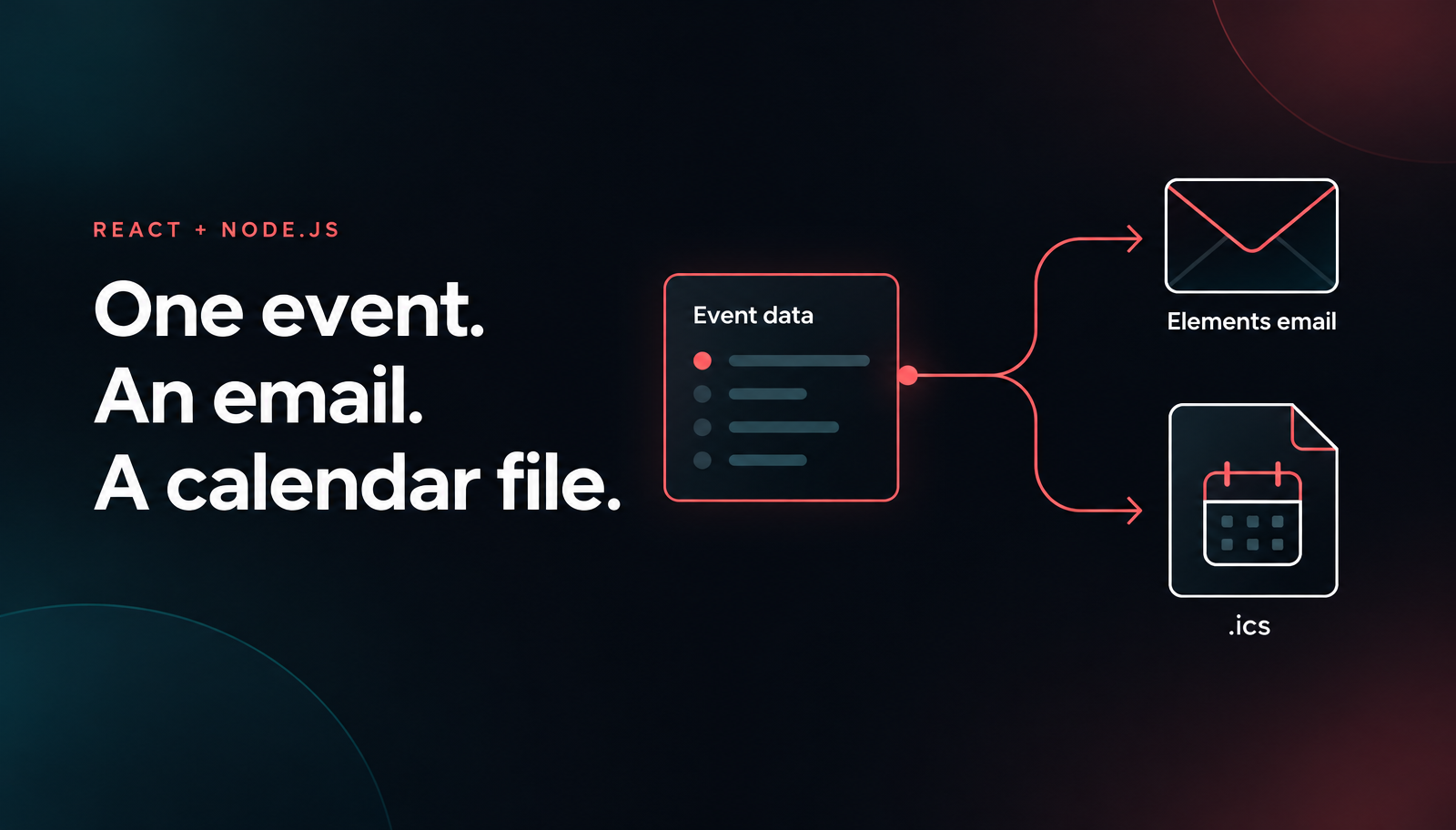
Node.js Email Calendar Invite with React and Nodemailer
Build a Node.js email calendar invite with React, Unlayer Elements, ics and Nodemailer. Preview the confirmation and ICS file, then opt into SMTP sending.

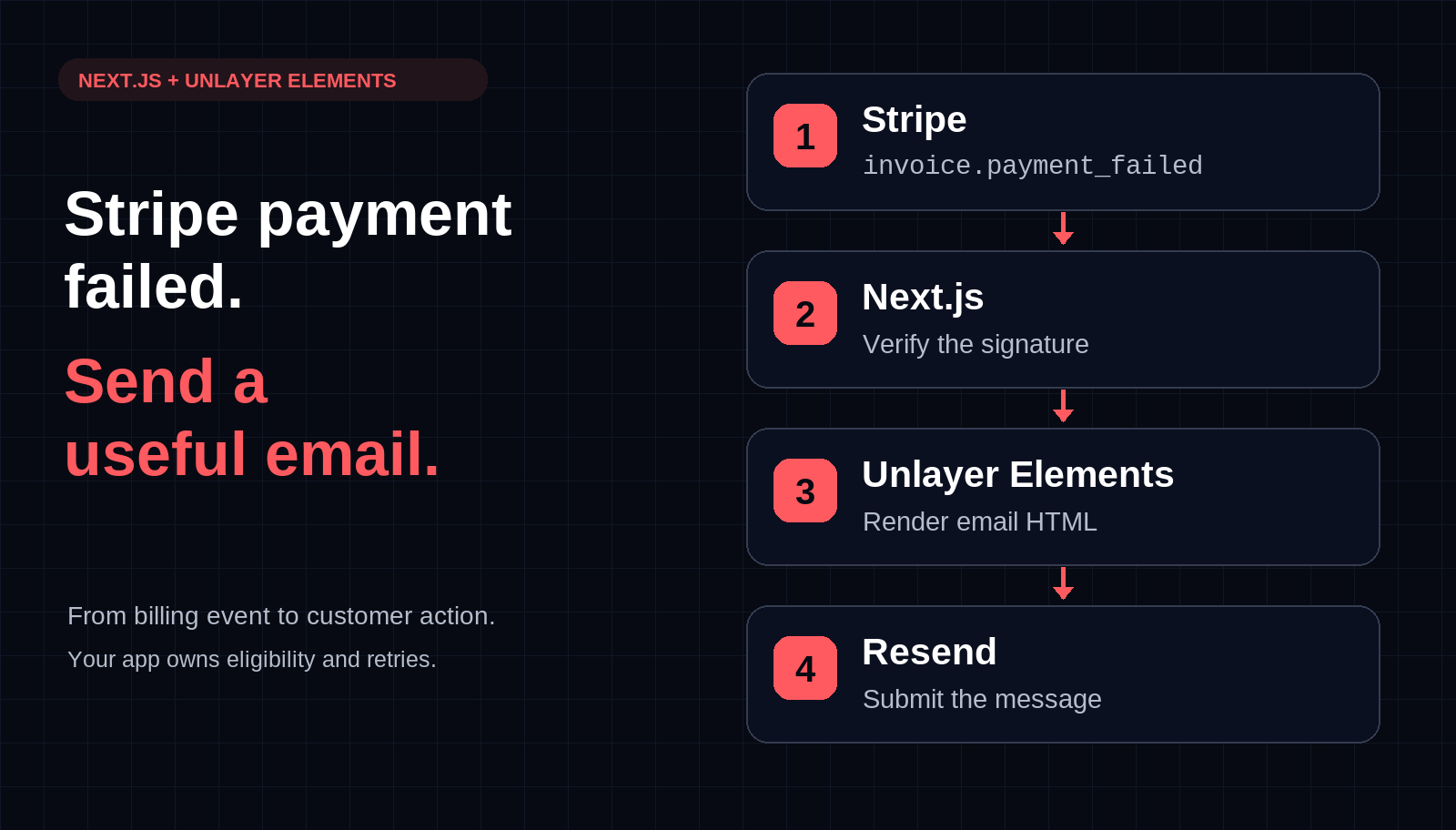
To send a custom Stripe payment-failed email, verify the invoice.payment_failed webhook, retrieve the invoice’s current state, and render a React email with Unlayer Elements before handing the HTML to your delivery provider. Keep the recovery link pointed at your authenticated billing page—not an expiring portal session. Stripe supplies the billing event; Elements supplies the content; your application owns eligibility and retries.
This tutorial starts with an email preview, then adds a sandbox-only webhook that sends through Resend. The narrow first version handles automatically collected USD invoices. It is not a production notification queue, and it deliberately refuses older events rather than replaying them outside its short-window duplicate protection.
Stripe supplies the event; Next.js verifies it; Elements renders the message; Resend submits it.

The payment-failed email rendered with Unlayer Elements: a navy header, a clear amount due, and one coral Review billing button.
Use an existing TypeScript Next.js application with the App Router, a Stripe sandbox, and a Resend API key and verified sending domain. Your application must already have a working /settings/billing page: it authenticates the visitor, checks which billing account they may manage, and offers a way to update payment details. The example does not implement your login or account-to-Stripe-customer mapping.
Install the packages in that application:
npm install @unlayer/react-elements stripe resendKeep the resulting lockfile. Elements supports React and React DOM 18 or later; use the modern JSX configuration documented in its installation guide. No visual-builder SDK is needed because developers own this layout in code. Customer drag-and-drop editing would be a separate commercial-builder integration.
Create emails/payment-failed.tsx. Keep the initial message small: explain the failed attempt, show a USD amount, and give the customer one useful action. Avoid declaring their account cancelled or predicting the next retry from a single failure event.
The layout below uses the navy-and-coral design shown above. Optional plan, payment-method and invoice labels let a preview show example details without hard-coding those details into real notifications. The webhook later in the tutorial supplies only the amount and billing URL, so those optional labels are omitted. Replace the Northstar branding with your own before sending.
import {
Email, Row, Column, ColumnLayouts, Heading, Paragraph,
Button, Divider, renderToHtmlParts,
} from '@unlayer/react-elements';
type Notice = {
amountCents: number;
billingUrl: string;
planLabel?: string;
paymentMethodLabel?: string;
invoiceLabel?: string;
};
export function paymentFailedEmail({
amountCents, billingUrl, planLabel, paymentMethodLabel, invoiceLabel,
}: Notice) {
if (!Number.isSafeInteger(amountCents) || amountCents <= 0) {
throw new Error('Expected a positive USD amount in cents');
}
const link = new URL(billingUrl);
if (link.protocol !== 'https:' || link.username || link.password) {
throw new Error('Expected a configured HTTPS billing URL');
}
const amount = `USD ${(amountCents / 100).toFixed(2)}`;
const tree = (
<Email backgroundColor="#edf1f5" contentWidth="600px"
fontFamily={{ label: 'Arial', value: 'Arial, Helvetica, sans-serif' }}
textColor="#172536"
previewText="Review your billing details to try your payment again.">
<Row padding="28px 0px 0px">
<Column backgroundColor="#172536" padding="30px 40px 28px"
borderRadius="12px 12px 0px 0px">
<Heading headingType="h2" fontSize="21px" fontWeight={700}
color="#ffffff" containerPadding="0px" letterSpacing="-0.5px">
northstar.
</Heading>
<Paragraph fontSize="11px" fontWeight={700} color="#ffaaa4"
letterSpacing="1.6px" containerPadding="26px 0px 10px">
PAYMENT NEEDS ATTENTION
</Paragraph>
<Heading headingType="h1" fontSize="34px" fontWeight={700}
lineHeight="115%" color="#ffffff" containerPadding="0px"
letterSpacing="-0.8px">
Your payment didn’t go through.
</Heading>
<Paragraph fontSize="15px" lineHeight="155%" color="#c7d1dd"
containerPadding="16px 0px 0px">
We couldn’t process your latest subscription payment.
Review your billing details to try again.
</Paragraph>
</Column>
</Row>
<Row>
<Column backgroundColor="#ffffff" padding="28px 40px 22px">
<Paragraph fontSize="11px" fontWeight={700} color="#778394"
letterSpacing="1.4px" containerPadding="0px 0px 8px">
AMOUNT DUE · USD
</Paragraph>
<Heading headingType="h2" fontSize="36px" fontWeight={700}
lineHeight="110%" color="#172536" containerPadding="0px"
letterSpacing="-1px">
{`$${(amountCents / 100).toFixed(2)}`}
</Heading>
{planLabel && (
<Paragraph fontSize="14px" color="#778394"
containerPadding="8px 0px 0px">{planLabel}</Paragraph>
)}
<Divider borderTopColor="#e5eaf0" borderTopWidth="1px"
containerPadding="22px 0px 0px" />
</Column>
</Row>
{(paymentMethodLabel || invoiceLabel) && (
<Row layout={ColumnLayouts.TwoEqual}>
<Column backgroundColor="#ffffff" padding="0px 0px 20px 40px">
{paymentMethodLabel && (
<Paragraph fontSize="11px" fontWeight={700} color="#778394"
letterSpacing="1px" containerPadding="0px 0px 6px">
PAYMENT METHOD
</Paragraph>
)}
{paymentMethodLabel && (
<Paragraph fontSize="14px" fontWeight={700} color="#172536"
containerPadding="0px">{paymentMethodLabel}</Paragraph>
)}
</Column>
<Column backgroundColor="#ffffff" padding="0px 40px 20px 40px">
{invoiceLabel && (
<Paragraph fontSize="11px" fontWeight={700} color="#778394"
letterSpacing="1px" containerPadding="0px 0px 6px">
INVOICE
</Paragraph>
)}
{invoiceLabel && (
<Paragraph fontSize="14px" fontWeight={700} color="#172536"
containerPadding="0px">{invoiceLabel}</Paragraph>
)}
</Column>
</Row>
)}
<Row>
<Column backgroundColor="#ffffff" padding="4px 40px 28px">
<Button href={link.href} backgroundColor="#f4675e" color="#172536"
fontSize="15px" fontWeight={700} textAlign="left"
padding="16px 28px" borderRadius="8px" containerPadding="0px">
Review billing →
</Button>
<Paragraph fontSize="12px" lineHeight="150%" color="#778394"
containerPadding="12px 0px 0px">
Check your card details or choose another payment method.
</Paragraph>
</Column>
</Row>
<Row>
<Column backgroundColor="#f7f9fb" padding="22px 40px"
borderRadius="0px 0px 12px 12px">
<Paragraph fontSize="14px" fontWeight={700} color="#172536"
containerPadding="0px 0px 6px">Need a hand?</Paragraph>
<Paragraph fontSize="13px" lineHeight="150%" color="#667587"
containerPadding="0px">
If your details look right, your bank may be able to help.
If you’ve already resolved this, your billing page has the latest status.
</Paragraph>
</Column>
</Row>
<Row padding="20px 0px 24px">
<Column>
<Paragraph fontSize="11px" lineHeight="150%" color="#8591a0"
textAlign="center" containerPadding="0px">
northstar. · Account & billing
</Paragraph>
<Paragraph fontSize="11px" lineHeight="150%" color="#8591a0"
textAlign="center" containerPadding="0px">
Amount shown when this message was prepared.
You’re receiving this email about your subscription.
</Paragraph>
</Column>
</Row>
</Email>
);
const { head, body } = renderToHtmlParts(tree);
return {
subject: 'Please review your billing details',
html: `<!DOCTYPE html><html><head>${head}</head>${body}</html>`,
text: [
"Your payment didn’t go through.",
`Amount due when this message was prepared: ${amount}`,
planLabel,
paymentMethodLabel && `Payment method: ${paymentMethodLabel}`,
invoiceLabel && `Invoice: ${invoiceLabel}`,
`Review billing: ${link.href}`,
"If you've already resolved this, your billing page has the latest status.",
].filter(Boolean).join('\n\n'),
};
}Keep the direct Email → Row → Column structure. Unlayer’s rendering API recommends renderToHtmlParts for sending email; its documented composition puts the returned head and body into the document. The plain-text companion here is explicitly authored from the same values and retains the destination URL.
The USD restriction matters. Stripe amounts use currency minor units; dividing every currency by 100 would be wrong for zero-decimal currencies. Add an explicit currency-aware formatter before expanding this example beyond USD.
Create app/email-preview/route.ts:
import { paymentFailedEmail } from '../../emails/payment-failed';

export const runtime = 'nodejs';

export async function GET() {
  const message = paymentFailedEmail({
    amountCents: 4900,
    billingUrl: 'https://app.example.com/settings/billing',
    planLabel: 'Northstar Pro · Monthly subscription',
    paymentMethodLabel: 'Visa ending in 4242',
    invoiceLabel: 'NS-1042',
  });
  return new Response(message.html, {
    headers: {
      'Content-Type': 'text/html; charset=utf-8',
      'Cache-Control': 'no-store',
    },
  });
}
Open /email-preview through your application’s development server. The preview uses Northstar branding, a USD 49.00 amount, and one Review billing button. Use your own application origin and labels before sending. This route neither reads Stripe customer data nor calls Resend. Remove it from production if you do not want a public demonstration endpoint.
Use this first pass to settle copy and spacing. A browser preview is not an inbox-compatibility guarantee. Review the eventual email in the clients your product supports, especially after introducing images, fonts or longer content.

The Northstar payment-failed design in the real Elements Playground, with JSX beside the email preview. The screenshot shows the styled demonstration layout; the application template above adds optional labels and a reminder to check the latest billing status.

The sandbox route handles the upper sequence. Durable intake, frozen payloads and reconciliation belong to the production application.
Configure these server-only environment variables through your local secret mechanism. Do not prefix them with NEXT_PUBLIC_ or commit their values: STRIPE_SECRET_KEY for your sandbox, STRIPE_WEBHOOK_SECRET, RESEND_API_KEY, MAIL_FROM on your verified domain, and APP_ORIGIN set to your real HTTPS origin.
Create app/api/stripe/webhook/route.ts. This code rejects live events: keep that guard until you replace the demonstration’s synchronous processing with a durable workflow.
import Stripe from 'stripe';
import { Resend } from 'resend';
import { paymentFailedEmail } from '../../../../emails/payment-failed';

export const runtime = 'nodejs';
const required = (name: string) => {
  const value = process.env[name];
  if (!value) throw new Error(`Set ${name}`);
  return value;
};

export async function POST(request: Request) {
  const signature = request.headers.get('stripe-signature');
  if (!signature) return new Response('Missing signature', { status: 400 });
  const stripe = new Stripe(required('STRIPE_SECRET_KEY'));
  let event: Stripe.Event;
  try {
    event = stripe.webhooks.constructEvent(
      await request.text(), signature, required('STRIPE_WEBHOOK_SECRET'),
    );
  } catch {
    return new Response('Invalid webhook', { status: 400 });
  }
  if (event.livemode) return new Response('Sandbox only', { status: 400 });
  if (event.type !== 'invoice.payment_failed') {
    return Response.json({ ignored: true });
  }
  // A conservative demo cutoff, not a durable processing record.
  if (Date.now() / 1000 - event.created >= 23 * 60 * 60) {
    return new Response('Needs manual reconciliation', { status: 500 });
  }
  try {
    const snapshot = event.data.object as Stripe.Invoice;
    const invoice = await stripe.invoices.retrieve(snapshot.id);
    if (invoice.status !== 'open' || invoice.amount_due <= 0
        || invoice.collection_method !== 'charge_automatically') {
      return Response.json({ skipped: true });
    }
    if (invoice.currency !== 'usd') throw new Error('Unsupported currency');
    const customerId = typeof invoice.customer === 'string'
      ? invoice.customer : invoice.customer?.id;
    if (!customerId) throw new Error('Missing customer');
    const customer = await stripe.customers.retrieve(customerId);
    if (customer.deleted || !customer.email) throw new Error('Missing recipient');

    const origin = new URL(required('APP_ORIGIN'));
    if (origin.protocol !== 'https:' || origin.username || origin.password
        || origin.pathname !== '/' || origin.search || origin.hash) {
      throw new Error('APP_ORIGIN must be an HTTPS origin');
    }
    const message = paymentFailedEmail({
      amountCents: invoice.amount_due,
      billingUrl: new URL('/settings/billing', origin).href,
    });
    const resend = new Resend(required('RESEND_API_KEY'));
    const { data, error } = await resend.emails.send({
      from: required('MAIL_FROM'), to: [customer.email], ...message,
    }, { idempotencyKey: `stripe-payment-failed/${event.id}` });
    if (error || !data?.id) throw new Error('No provider acknowledgement');
    return Response.json({ accepted: true });
  } catch {
    // Do not expose recipient addresses, message bodies or credentials.
    return new Response('Notification unresolved', { status: 500 });
  }
}
Next.js Route Handlers support request.text() for webhooks. Pass that unparsed body, the signature header and endpoint secret to Stripe’s documented constructEvent method. Calling request.json() first would break the raw-body verification contract.
The route retrieves the current invoice rather than treating an old event snapshot as current billing truth. Paid, void or otherwise non-open invoices are skipped. That check still has a race: payment can succeed after retrieval but before sending. The email therefore directs customers to the latest billing state instead of promising that the amount remains payable.
For a controlled sandbox send, set the sandbox Stripe customer’s email to an address you own or are authorized to contact. Do not use production customer records. Follow Stripe’s webhook setup to forward events to your local route:
stripe listen --forward-to localhost:3000/api/stripe/webhookUse the signing secret printed by that listener, not a different destination’s secret. Generate a failed invoice payment in your sandbox using Stripe’s documented test workflow. A generic payment-success trigger will be ignored because this route only handles invoice.payment_failed. Inspect the event delivery and provider response; accepted means provider acknowledgement, not delivery or an inbox open.
Resend’s idempotency keys suppress repeated requests with the same key and unchanged payload for 24 hours. This demo uses an event-specific key and refuses events at least 23 hours old. Age is only a conservative retry boundary—not proof that an event has been processed.
The limitation is deliberate: Stripe can retry beyond that window. A changed invoice amount, recipient or template can also make the same-key payload differ; Resend then rejects the conflict. Do not “fix” it by inventing a new key. Investigate the earlier request before deciding whether another email is appropriate.
Before enabling live events, replace the synchronous send with this application-owned sequence:
1. Verify the signature and atomically store a unique event record plus notification work in durable storage. Return success only after that work is safely recorded.
2. Let a worker retrieve billing state, check recipient/account policy, and freeze the exact message payload and template version before its first send attempt.
3. Record provider acknowledgement separately from delivery. Reuse the saved payload and key for eligible retries; reconcile ambiguous attempts after the provider’s window expires.
Persist skip reasons and operational failures too. Missing recipients, unsupported currencies and old events need an operator path, not repeated blind retries. Decide whether a separate failure attempt deserves a new reminder: an event-ID key does not limit the number of distinct failure events for one invoice. Stripe’s webhook guide also warns that events can arrive out of order.
Use your stable authenticated billing page. It should resolve the customer ID from the signed-in account, authorize access, then create a fresh Stripe Customer Portal session. Never accept an arbitrary customer ID from an email query string as authorization.
Portal sessions are temporary, so do not create one when preparing the message and expect it to work days later. The email opens your page; your page creates the session when needed. Make sure that page handles signed-out visitors and users who cannot manage billing without exposing someone else’s account.
Also review Stripe’s automatic customer-email settings. Stripe can already send failed-payment notices. Choose which system owns this notification before turning on a custom workflow, rather than accidentally sending both.
No. Elements renders content. Stripe owns billing events, Resend submits messages, and your application owns processing state, authorization and notification policy. Our transactional-email guide covers the broader message category.
Not as written. The first version only sends for open, automatically collected USD invoices with a current customer email. It does not infer a subscription’s status from an invoice failure. Extend eligibility and formatting deliberately.
Not through this example. It is code-first. Elements can produce builder-compatible JSON for a separate visual editing workflow; visual changes do not reconstruct your React source. Our React builder guide explains that different integration path.
Explore the official runnable Next.js Elements example for email previews and an HTML endpoint—it demonstrates rendering, not a Stripe billing integration. Use the Elements rendering API to implement your message, and start with Unlayer Elements for the code-first content layer. Keep billing recovery and delivery responsibilities in the surrounding application.
Insights on email design, content creation, and developer productivity.
Build a Node.js email calendar invite with React, Unlayer Elements, ics and Nodemailer. Preview the confirmation and ICS file, then opt into SMTP sending.
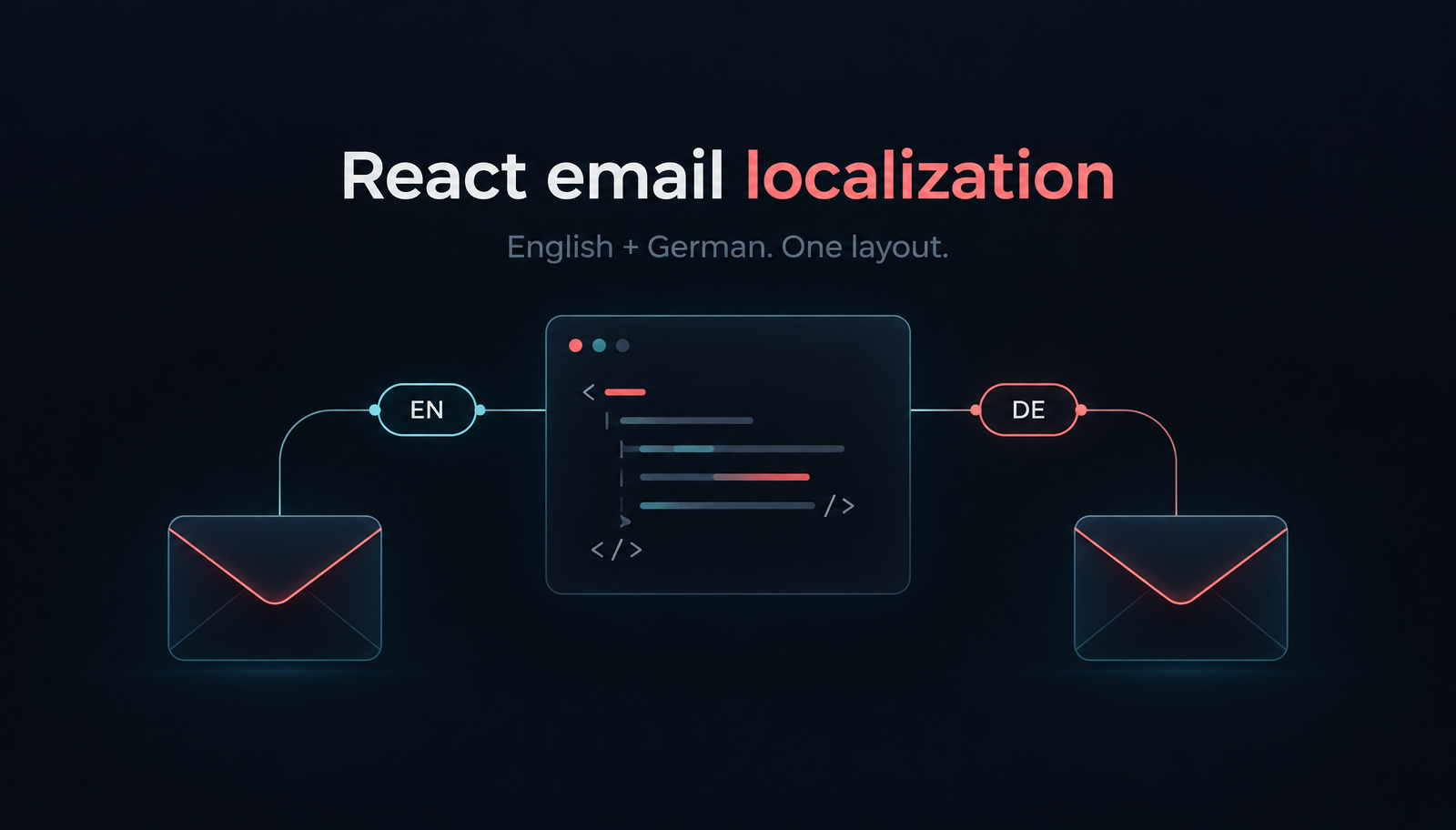
Build localized React order-confirmation emails with Unlayer Elements. Use English and German catalogs, format EUR amounts, preview the layout and send with Resend.

Repeat an email block for each item with merge-tag loops in Unlayer. Build dynamic property listing emails, save editable templates, and export HTML from lists.