
Unlayer: The White-Label Builder for Agencies & SMB Growth
A detailed guide on how Unlayer, a white-label builder for agencies, streamlines SMB marketing, boosts revenue, and simplifies client content creation.

Enterprises today operate in a world where speed, personalization, governance, and security are the backbone of every customer-facing experience.
Whether you’re running a marketing automation platform, a CRM, an eCommerce suite, or an all-in-one SaaS, the customer expects polished, on-brand, accessible, and dynamic content without ever touching code.
And while creating content is easy, creating it at scale, across teams, within shared systems, and without breaking brand rules is incredibly hard, especially if you’re trying to build your own content editor or rely on fragmented open-source tools.
This is exactly where Unlayer Enterprise comes in.
Unlayer isn’t just an email or page editor. It’s a fully embeddable, enterprise-grade content creation platform built specifically for companies that need:
Full control over security, compliance, and deployment
A scalable editor embedded directly into their product
A white-label, brandable, no-code content experience
Flexible APIs and SDKs for deep customization
Strong governance: SSO, RBAC, audit logs, accessibility
Reliability, uptime guarantees, and global infrastructure
Enterprise support, SLAs, and dedicated onboarding
This guide provides everything you need to understand Unlayer Enterprise, including its comparison to Unlayer self-serve plans and open-source editors, its ability to enable scalable no-code experiences, and when teams should consider upgrading.
Enterprise content operations are more complex than simply creating emails or landing pages. Large organizations must balance:
Faster campaign production
Brand consistency across global teams
Regulatory and security demands
Developer-friendly integrations
Accessibility compliance
Reliable performance at scale
Unlayer Enterprise solves this by combining white-label flexibility, on-premise control, enterprise-grade security, and an API-first embedding model tailored for high-growth, regulated, or distributed organizations.
Challenges | Explanation |
Strict Compliance Requirements | Industries such as healthcare, finance, and government have strict rules governing where data resides, who can access it, and how it’s stored. Cloud-only platforms often fall short, forcing enterprises to seek full control over their data. |
Heightened Security Risks | Data breaches and regulatory fines are costly. Enterprises must secure sensitive customer and business data with robust systems, not consumer-level protections. |
Accessibility Obligations | Modern organizations must ensure content is accessible under WCAG and VPAT standards, which many traditional editors cannot guarantee. |
Brand Dilution Across Teams | Distributed marketing teams often create inconsistent visuals and messaging due to a lack of centralized brand controls. |
Unstructured Collaboration & Approval Chaos | Without structured roles and checks, enterprises experience content errors, version conflicts, and time-consuming revisions. |
Authentication Friction | Multiple logins across various tools create unnecessary complexity and introduce security vulnerabilities. |
Scaling Limitations | Growing volumes of emails, pages, and assets can strain systems not built for enterprise-level throughput. |
Disconnected Tech Stacks | Tools that don’t integrate with existing CRMs, workflows, or automation platforms lead to manual processes and operational inefficiencies. |
Lack of Visibility & Reporting | Enterprise leaders require in-depth analytics to comprehend usage, compliance, and ROI across multiple regions. |
Minimal Support for Large Teams | Enterprise adoption requires assistance with migration, custom SLAs, consulting, and proactive support, not just a ticketing system. |
This section outlines the most critical enterprise-grade features.
🔍 Full feature breakdown in the original post:
Unlayer for Enterprise: White-Label, Secure, & Built to Embed
Unlayer offers an on-premise deployment option, allowing enterprises to host the editor on their internal infrastructure.
Ensures data residency and compliance
Enables custom authentication, monitoring, and internal policies
Supports industries where cloud SaaS alone is not allowed
This provides enterprises with consumer-grade ease while maintaining enterprise-level governance.
Unlayer is SOC 2 Type II certified, GDPR compliant, and offers a full suite of protective measures.

Data encryption
Audit logs
Vulnerability scans
Backup & recovery
DDoS protection
Network security
Granular access controls
Unlayer meets WCAG 2.1 standards and provides VPAT documentation, helping enterprises:
Achieve accessibility compliance
Deliver inclusive digital communications
Avoid legal or institutional accessibility violations
Unlayer can be white-labeled down to:
Unlayer can be extended with custom tools, custom property editors, and tailored UI behaviors such as appearance, editor behavior, and content settings.
Related: The Dev’s Guide to Customizing and Extending Editor SDKs
Unlayer sets clear boundaries for teams through enterprise-level RBAC.
Prevents overwrites and errors
Establishes clear ownership
Smoothens approval chains
Scales collaboration safely
RBAC ensures large teams collaborate efficiently without sacrificing control.
Unlayer supports:
SAML
OAuth
Custom authentication flows
Unlayer is engineered for enterprises that produce high volumes of content.
Distributed infrastructure
Global CDN
99.99% uptime SLA
Marketing teams across regions can work without performance slowdowns.
Unlayer embeds seamlessly into any product and integrates with major frameworks.
Native feel inside your app
Deep API customization
Unlayer provides insights on:
Editor activity
Team performance
Version history
Workflow efficiency
These insights help enterprises streamline their processes and identify areas of friction.
Unlayer offers white-glove enterprise support, such as:
24/7 priority support
SLA-backed guarantees
Dedicated CSM + Technical Account Manager
Custom onboarding
Migration assistance
Training sessions
Developer and admin documentation
In short, Unlayer isn’t just a tool; it’s a long-term technology partner.
Many businesses, especially SaaS companies, face a significant decision: start with a lightweight, pay-as-you-go editor or invest in a full, enterprise-grade solution from the outset.
For growing teams, the choice influences not only cost but also architecture, compliance, customization, and the long-term developer burden.
Unlayer’s “Enterprise vs Self-Serve plans” article breaks down when it's better to stay lean and when it's worth moving up to Enterprise.
Unlayer offers three self-serve plans, namely Launch, Scale, and Optimize.

Drag-and-Drop Editor: All self-serve tiers include the core no-code drag-and-drop builder for creating emails, landing pages, popups, and more.
SDKs & APIs: Even self-serve customers can embed and integrate via JavaScript SDKs and REST APIs.
Customization: Includes standard theming, blocks, and tools to customize the editor experience.
Templates: Comes with pre-built templates that help speed up design work.
Flexible, Pay-as-you-Go: These plans are ideal for teams that want to scale quickly without committing to a deeply custom setup.
Unlayer’s self-serve plans are well-suited for:
📈 Startups — Testing new SaaS ideas or validating builder integrations.
📈 Small / Mid-sized Businesses (SMBs) — Wanting a cost-effective builder without heavy customization overhead.
📈 Teams prioritizing speed to market — They may not need heavy compliance or deployment options.
This is where the article dives into why and how the Enterprise plan is a different, more powerful offering.
Security & Compliance: SOC 2 certification, GDPR support, uptime SLA, and audit logs.
Deep Customization: White-labeling with brand style guides. Custom OpenAI connectors, server-side rendering, custom exporters, and multi-language template support.
Flexible Deployment Options: Support for private cloud, on-premise, or offline deployments, not just standard cloud.
Advanced Workflows: Early access to new features, delayed release controls (control when new features are enabled), and more customizable infrastructure via API-first design.
Support & Services: Priority customer support, a dedicated Customer Success Manager (CSM), technical consulting, migration help, and custom SLAs.
Enterprise is most relevant for:
Large SaaS companies building their own content tooling
Regulated industries (finance, healthcare, etc.) that need compliance and control
High-growth platforms that require heavy customization, SLAs, and governance
Here’s a clear comparison table of how Self-Serve vs Enterprise differ along key dimensions.
Category | Self-Serve (Launch / Scale / Optimize) | Enterprise |
Security & Compliance | Baseline protections, but no SLA | Full SOC 2, GDPR, custom agreements, SLA, continuity guarantee |
Brand / UI Control | White-labeling, themes, custom CSS | Everything in self-serve + full style guide, brand control, exporter customizations |
Customization & Integration | SDKs + APIs, but limited custom tools | Unlimited custom tools, custom exporters, SSR, OpenAI connector, deep integrations |
Content Builders | Editors for email, page, popup, document | Same builders + multi-language, content auditing, delayed release, early feature access |
Deployment Options | Only cloud-hosted | Cloud or on-premise/ offline/private cloud |
Access & Governance | Basic user roles, team collaboration | Unlimited users, role-based controls, SSO, full governance |
Support & Services | Standard support (tickets, docs) | Dedicated CSM, priority response, migration & training |
Analytics & Reporting | Basic usage tracking | Advanced analytics, detailed audit logs, custom validators, API integration |
At an enterprise scale, every tool must strike a balance between performance, reliability, and security.
Traditional WYSIWYG editors often falter under enterprise demands because they lack the infrastructure, governance, and integration depth required.
Unlayer is purpose-built to embed, customize, and govern a powerful design tool without overwhelming development teams.
Need to support thousands of concurrent users, design edits, API calls, and campaign sends.
➡️ If the system is slow or unreliable:
Designers can’t save or publish.
Marketers are blocked, hurting campaign velocity.
Customer support and operations suffer.
➡️ Performance issues damage brand trust; downtime can lead to revenue loss.
➡️ For global teams, consistency and low latency across regions are essential.
Distributed infrastructure + global CDN: ensures fast load times everywhere.
99.9% uptime SLA: gives enterprises confidence in reliability under load.
Whether embedded across tenants or used in a single app, performance remains consistent.
Enterprises are bound by strict regulatory frameworks (e.g., GDPR, SOC 2, HIPAA).
Without proper controls, risks include data breaches, regulatory fines, and a lack of accountability.
Traditional editors often lack fine-grained access control or auditability.

SOC 2 Type II certification and GDPR compliance built in.
Encryption for data in transit and at rest.
Security features: DDoS protection, vulnerability scanning, backup & recovery.
Governance: RBAC, audit logs, and Single Sign-On (SSO) via SAML and OAuth.
Enterprise stacks rarely use a single platform, as they often include CRMs (such as Salesforce or HubSpot), marketing platforms, and in-house applications.
Without seamless integration, teams waste time on manual syncing and suffer from fragmented workflows.
Many editors force you into rigid templates or workflows, which can limit brand fidelity and UX flexibility.
API-first architecture + embedded editor: Use JavaScript SDK and plugins for React, Angular, or Vue.
Custom UI & Branding: The editor’s look and behavior can be tailored to precisely match your platform.
Custom Tools & Extensions: Developers can build bespoke editor tools aligned with enterprise workflows.
Dynamic Content Support: Personalize designs with event-driven or user-specific data (e.g., names, locations, offers).
Full Template API: Load, save, export designs via REST, making automation and content flows easier.
Third-Party Ecosystem: Integrate with CRMs, email automation platforms, and other systems via connectors or webhooks.
Multi-Tenant Support: Run multiple Unlayer instances under one umbrella, ideal for platforms serving many brands.
Building an in-house email editor becomes a maintenance nightmare.
Engineers spend months on core functionality (drag/drop, responsive layout).
Every browser or email-client update triggers new bugs or regressions.
Dedicated QA and support are required just to keep the editor running.
Engineering time is diverted from product innovation to maintenance.
Fast Embedding: Unlayer can be embedded in days, drastically reducing development cycles (up to 80% faster).
Lower Developer Burden: Unlayer handles ongoing maintenance, browser compatibility, and feature updates.
Constant Compatibility: Regular platform updates ensure seamless operation across devices and email clients.
Enterprise Support: Dedicated onboarding, migration help, training, and SLA-backed support.
Reliable at Scale: With a global CDN and guaranteed 99.99% uptime, Unlayer stays performant even under heavy load.
🔍 Deep Dive: Unlayer: A Scalable Builder for Enterprise-Level Performance
In 2025, data breaches continue to expose nearly 94 million records worldwide, and enterprises using content tools need more than convenience; they require ironclad security, regulatory compliance, and auditability.
For any platform handling sensitive user/customer data, especially in sectors such as healthcare, finance, or global SaaS, failing to meet compliance standards (like SOC 2, HIPAA, or GDPR) isn’t just risky; it can be a deal-breaker for partnerships, contracts, or enterprise adoption.
Let’s have a look at Unlayer’s compliance credentials:
Unlayer is certified under SOC 2 Type II, meaning its controls around security, availability, processing integrity, confidentiality, and privacy are audited and verified.
That gives enterprises real assurance about data handling and operational safeguards, an important checkbox during audits or procurement.
For organizations handling Protected Health Information (PHI), Unlayer supports HIPAA-compliant workflows: end-to-end encryption, role-based access restrictions, audit trails, data isolation, and secure network protocols.
This makes it viable for healthcare providers, patient-facing platforms, or any application needing strict confidentiality.
Unlayer supports GDPR requirements: secure storage, data minimization and purpose limitations, consent management, data access/portability, and audit logging.
This helps enterprises cater to customers globally while remaining compliant with European (and other) data-protection regulations.
Unlayer doesn’t just claim compliance; it builds in the technical and operational controls enterprises need.
Key safeguards include:
Encryption — for data at rest and in transit, protecting sensitive content and user data.
Granular Access Controls — role-based permissions ensure that only authorized users can access or modify sensitive data.
Audit Logs & Activity Trails — every action is logged, enabling traceability, accountability, and compliance reporting.
Network Security & Vulnerability Monitoring — regular scans, hardened infrastructure, DDoS protections, and security monitoring guard against external threats.
Backup & Recovery Protocols — ensuring data integrity and recovery in case of failures, which is critical for enterprise reliability.
Together, these features form a strong compliance backbone, enabling enterprise teams to meet internal and external regulatory requirements while still offering a flexible content creation tool.
Here’s a table that can serve as a quick, scannable reference to decide if Unlayer meets your security, compliance, and governance needs.
Area | Requirement / Best Practice | Unlayer Status / Features |
Security Certification | Independent audit and certification covering security, availability, processing integrity, confidentiality, and privacy | ✅ SOC 2 Type II certified |
Regulatory Compliance Support | Compliance with global data-protection standards for enterprises operating internationally | ✅ GDPR support; built-in privacy and data-handling controls |
Protected Data Handling (e.g., Healthcare / PHI) | End-to-end secure handling of sensitive data, with safeguards meeting health/finance regulations | ✅ Supports HIPAA-compatible workflows (encryption, access controls, auditability) |
Data Encryption | Encryption of data both at rest and in transit to prevent unauthorized access | ✅ Full encryption of data in transit and at rest |
Access Controls & Permissions | Granular, role-based user permissions to control who can view/edit/publish content | ✅ RBAC is supported |
User Authentication & Identity Management | Secure, centralized authentication to manage users and credentials safely | ✅ Single Sign-On (SSO) support via SAML / OAuth / custom auth methods |
Audit Logging & Activity Tracking | Detailed logs of — who did what, when — for transparency, compliance auditing, and forensic tracking | ✅ Comprehensive audit logs and activity trails |
Infrastructure & Network Security | Hardened infrastructure, vulnerability scanning, DDoS protection, secure network protocols, and monitoring | ✅ Network security, vulnerability scanning, DDoS protection, secure infrastructure |
Backup, Recovery & Continuity | Reliable backup and recovery plans in case of failures or disasters; high availability & uptime guarantees | ✅ Backup & recovery protocols, high-availability infrastructure, uptime SLA |
Deployment Flexibility & Data Residency | Options for on-premise or private cloud deployments, enabling enterprises to control data location | ✅ Supports on-premise, private-cloud, and self-hosted deployments |
Global Compliance Readiness | Ability to meet regulatory and compliance needs across different geographies and industries | ✅ Combined security, privacy, deployment, and governance capabilities make Unlayer suitable for global, regulated usage |
Governance for Large Teams | Governance tools (roles, permissions, audit logs, SSO) that scale with team size, ensuring safe collaboration | ✅ Full enterprise-grade governance capabilities |
Support & Compliance Documentation | Readily available compliance documentation, help with audits, and enterprise-grade support for compliance needs | ✅ Compliance features are part of the enterprise offering; documentation & support available |
Before committing to a content/editing tool, enterprises often ask: “Should we build/embed our own, use open-source, or go for a managed enterprise solution?”
This article helps answer that by comparing Unlayer Enterprise with several popular open-source editors on key dimensions like security, scalability, customization, support, and total cost of ownership.
It lays out a decision framework, not just about features, but about organizational maturity, compliance demands, long-term maintenance, and risk tolerance.
Here are the major advantages that Unlayer offers over typical open-source editors:
Built-in Security & Compliance: Unlayer offers SOC 2 Type II compliance and GDPR support, which are rarely offered by open-source editors out of the box.
Deployment Flexibility: Unlayer Enterprise supports private cloud, on-premises, and managed deployments, making compliance and data residency easier.
Deep Embedding, White-Label & Developer-Focused Customization: Unlayer provides an API-first, SDK-based architecture, with plugins for embedding in React, Angular, and Vue frameworks. Developers get full control with custom blocks, exporters, UI behavior, custom tools, branding, and styling, enabling a polished, native feel inside your product.
Scalability, Performance & Multi-User Governance: Built for enterprise-scale usage, such as high concurrency, large template libraries, many users, stable performance, and robust governance.
Dedicated Support, Maintenance & Lower Long-Term Overhead: Unlayer offers dedicated support, Service-Level Agreements (SLAs), customer success managers, and maintenance, so you don’t rely on a community or internal developer resources.
Predictable Total Cost of Ownership (TCO) at Scale: While open-source editors may seem free initially, their hidden costs, like maintenance, updates, bug fixes, compliance overhead, infrastructure, and support, often stack up. So, Unlayer Enterprise delivers better TCO for organizations that care about reliability, compliance, and scale.

Cost Efficiency for Early-Stage or Lean Teams: No license fees; you pay mostly with developer time. Good for small projects, prototypes, or MVPs.
Maximum Flexibility and Ownership: Full access to code, ability to heavily customize or fork, and no vendor lock-in. Great if you have a strong engineering team comfortable with maintenance.
Faster Experimentation / Lower Commitment: For startups building fast, open-source editors allow you to iterate quickly without a long-term vendor contract.
Lack of built-in compliance, security, and enterprise governance.
Need for in-house infrastructure management, security maintenance, and updates.
Absence of formal support can slow down bug fixes, security updates, or feature development.
Risk of fragmented maintenance if the community slows down or abandons the project.
Here’s a simplified decision matrix crafted for teams evaluating editors:
Your Context / Need | Recommended |
Early-stage startup, small team, limited compliance needs, fast prototyping | Open-Source Editor (e.g., GrapesJS, Easy-Email, etc.) |
Lean SMB needing basic email or landing-page builder, with minimal infrastructure burden | Open-Source or Self-Serve editor |
SaaS platform expecting growth, multiple teams/users, or multi-tenant architecture, but limited internal maintenance bandwidth | Unlayer Enterprise |
Regulated industry (finance, health, enterprise contracts) needing compliance, auditability, and data residency | Unlayer Enterprise |
Need for embedding editor inside product, with branding & white-labeling, consistent UX | Unlayer Enterprise |
Large organizations with global teams, need for uptime SLA, multi-user governance, and robust support | Unlayer Enterprise |
In short, the choice isn’t about which editor is best, but about which editor best fits your organization’s scale, risk tolerance, and growth plans.
Now, let’s help teams, especially SaaS products and growing platforms, decide when it makes sense to move up the tiers of Unlayer — from Free → Self-Serve → Enterprise — based on their growth, needs, and maturity.
The below summary frames upgrade decisions as strategic inflection points, not just optional feature checks.
Free / Forever Free — Basic access: core builders (email, page, popup, document). Best for early-stage projects or MVPs.
Self-Serve Paid Plans:
Launch (~ US$250/month) — Adds white-labeling, cloud API, storage, custom tools, brand/UI control, custom storage, and basic embed/integration tools.
Scale (~ US$750/month) — Adds collaboration features, custom blocks, audit tools, team workflows, custom image libraries, smart merge tags, and theme support.
Optimize (~ US$2,000/month) — Further unlocks advanced features, including custom themes & CSS, synced blocks, AMP support, inbox previews, and deeper customization, making it ideal for high-volume and complex use cases.
Enterprise (Custom Plan) — Tailored to large organizations. Includes everything from Optimize plus enterprise-grade security/compliance, on-premise or private-cloud deployment, custom integrations, multi-language/template support, SLAs, and dedicated support.
This tiered structure provides you with a clear growth path: start lean, and upgrade when your needs evolve.
Before we get into the details, this overview will help you understand exactly when it’s time to move up, based on real indicators.
When your content operations move beyond a solo or small team, and you start adding designers, marketers, and developers to your growing team, coordination becomes critical.
Upgrading adds support for team collaboration, role-based permissions, auditability, and shared workflows, reducing chaos caused by concurrent edits or version conflicts.
If you want the editor experience to feel native to your product (custom branding, UI control, custom themes/CSS), especially when exposing the editor to external users, self-serve may fall short.
Higher tiers enable full white labeling, theme control, custom domains, and editor customization, providing stronger brand cohesion.
As products mature, embedding the editor deeply into workflows (APIs, custom tools, export pipelines, automation) becomes crucial.
Upgrading allows for custom tools, custom storage, advanced exporter or API usage, enabling the editor to fit your architecture rather than forcing you to adapt.
Some organizations or clients may require private cloud or on-premise deployments, as well as data governance and compliance protocols that go beyond what self-serve can handle.
The Enterprise plan addresses these with enterprise-grade deployment options, compliance support, and infrastructure tailored for regulated or sensitive environments.
When content workload increases, many templates, frequent campaigns, multilingual content, or multi-tenant usage can strain basic plans due to complexity.
Higher tiers support advanced features, including synced blocks, custom themes/CSS, multi-brand management, enhanced QA (previews and inbox previews), and workflow controls that scale.
Growing teams often require guaranteed uptime, support response SLAs, migration assistance, or customer success services.
Enterprise plan offers dedicated support, custom agreements, and peace of mind as usage scales.
Timing matters because upgrading too early or too late both carries trade-offs. Here’s how:
Paying for features you don’t need yet means wasted budget.
Unused customization or collaboration features.
Potential distraction from core product development.
Constraints on team productivity result in design bottlenecks, and collaboration suffers.
Brand inconsistency and a poor user experience if the editor feels tacked on.
Increased technical debt: retrofitting integrations, redoing workflows, migrating templates when scale hits.
🔍 Deep Dive: From Startup to Enterprise: When to Upgrade Your Unlayer Plan
Based on team size, usage, and needs, the following are the typical scenarios in which each plan is most suitable.
Stage / Scenario | Recommended Plan |
Solo developer / early-stage prototype / MVP | Free — cost-free, minimal commitment, simple builder access |
Small team with basic branding/embed needs | Launch — white-labeling, branding, custom tools, embed + basic integration/features |
Growing team, collaboration across roles, multiple templates, or small teams | Scale — collaboration tools, team workflows, custom blocks, auditability |
High volume content, needs for design governance, QA, sophisticated workflows | Optimize — advanced customization, synced blocks, previews, multi-brand support |
SaaS platform or enterprise-grade needs: compliance, multi-tenant, integrations, long-term support | Enterprise — full infrastructure flexibility, compliance, SLAs, advanced integration, white-labeling & customization |
Large organizations quickly outgrow generic no-code tools because such tools often lack governance, branding control, deep integration, and flexibility.
Unlayer Enterprise offers a no-code editor, but with an architecture built for scalability, control, and customization, so enterprises don’t have to sacrifice robustness for ease of use.
Instead of a standalone tool, Unlayer can be embedded directly within your application to create emails, landing pages, popups, and documents.
The editor is API-first. Through its SDK and plugins, developers can embed the editor in React, Angular, or Vue applications and customize its behavior.
Developers can build custom tools and blocks, extend functionality, integrate with CRMs, ESPs, automation systems, and connect editor workflows to backend systems.
The API also enables load, save, and export workflows for formats like HTML, image, document, and ZIP, making content generation automatable and flexible.
You can fully brand the editor: logos, color schemes, UI layout, domain, etc., so the editor feels native to your product rather than a third-party addon.
Developers can predefine brand-approved blocks (headers, footers, buttons, etc.) that marketers/designers can drag and drop freely.
The editor supports user roles and permissions, allowing granular control over who can create, edit, manage templates, or publish content.
You can integrate any analytics tool into your platform along with Unlayer, which delivers audit logs showing who did what, which templates are used, performance metrics, and content usage patterns.
This visibility helps teams enforce brand standards, monitor adoption, identify bottlenecks, and optimize workflows across departments.
Branded, seamless editing experience inside your product — making content creation feel native to your platform rather than an external tool.
Easy content creation for non-technical users while preserving design governance and code-quality controls.
Flexible integrations with backend workflows, CRMs, ESPs, and automation systems, enabling dynamic content, personalization, and export workflows.
Scalable collaboration and governance — multiple teams contributing content, with control over roles, permissions, and auditability.
Reliable, secure, compliant infrastructure — enabling enterprises to offer no-code content creation for users/customers, even under strict compliance or data-residency requirements.
Faster time to market — no need to build an editor from scratch; embed Unlayer to immediately offer email, landing-page, popup, or document editing features in your product.
Read More: How Unlayer Enterprise Powers Customizable No-Code Experiences
To make it easier for you, this section explains how to embed Unlayer into your enterprise stack and includes a link to a detailed guide where you can explore the full process, best practices, and technical considerations.
Before you drop in the editor, it’s wise to run a quick health check of your architecture.
If compliance or data residency matters → pick on-premise.
If you want speed and minimal setup → cloud embed.
Unlayer supports multiple builder modes: email, page, popup, and document. You can embed one or more depending on your product’s use cases.
You need storage/hosting for custom blocks, user uploads, font files, and assets.
Decide whether to serve assets via CDN or internal hosting (depending on compliance/performance needs).
If using enterprise features: configure role-based access, SSO, domain allowlists, and audit logging.
For multi-tenant/multi-brand platforms: plan template ownership, block permissions, and design/version access.
Before integrating, you choose one of two deployment paths, depending on your requirements.
Fastest path: include Unlayer’s hosted script, initialize the editor, and let Unlayer handle hosting, scaling, and updates.
Great for teams who prioritize speed-to-market and don’t need strict infrastructure control.
All assets, including editor bundle, custom blocks, fonts, and user uploads, live on your own servers or CDN.
Ideal for organizations with strict compliance, data residency, or internal security policies.
Provides full control over storage, block assets, uploads, and infrastructure, ideal for regulated industries or firms with strict governance requirements.
🔍 For a detailed, step-by-step integration workflow, including configuration, deployment, and recommended practices, refer to the full guide here: Embed Unlayer Into Your Enterprise Stack.
⚡ Fully embedded editor experience: Users design emails, pages, popups, and documents inside your application, without ever leaving the app.
⚡ Unified branding and UX: Editor can be themed and styled to match your platform, giving a seamless, native feel.
⚡ Flexible template and content management: Templates saved as JSON → easy versioning, reuse across accounts/tenants, export as HTML/other formats.
⚡ Dynamic content & personalization readiness: Merge tags, dynamic placeholders, and customizable data injection make the editor powerful for SaaS, marketing, and user-personalization flows.
⚡ Scalable collaboration and maintenance: Because Unlayer is maintained by its team (or self-hosted), you avoid the continuous burden of building, updating, and fixing a custom editor, saving developer and QA time.
Embed Unlayer when:
🧩 You run a SaaS platform, CRM, or marketing tool, and want to provide content creation inside your product UI.
🧩 You need to offer email, page, popup, or document builders without building them from scratch.
🧩 You want to maintain strict control over branding, compliance, and data residency (on-premise embed).
🧩 You aim for fast time-to-market, avoiding months of custom editor development.
🧩 You need template versioning, user workflows, multi-tenant support, and custom asset storage management for a large user base.
Enterprises today need tools that keep pace with their scale, structure, and evolving digital needs.
Across this guide, we’ve mapped out how Unlayer fits into that landscape and how teams can adopt it with clarity and confidence. What matters most is choosing a system that supports long-term growth, aligns with internal workflows, and reduces friction, rather than adding to it.
For organizations evaluating their next step in modern content operations, Unlayer provides a dependable path forward and the flexibility to build exactly what your teams need.
It’s a practical, future-ready choice for anyone seeking an enterprise content builder that seamlessly integrates into complex environments.
Ready to Explore What Unlayer Can Do for Your Enterprise?
👉 Contact Sales to get started.
Implementation timelines vary based on your tech stack and deployment choice, but most enterprises complete initial setup, embedding the editor, configuring access, and aligning branding, within a few weeks.
More complex cases, such as multi-environment rollouts or heavy customizations, may require slight extensions, but Unlayer’s team provides guidance to keep the process efficient.
Yes. Many organizations start with a single department or specific product area and expand once workflows are validated.
Unlayer supports phased adoption, allowing teams to introduce the editor in controlled stages without disrupting existing systems.
Enterprises can adjust UI styling, add custom tools, configure behavior settings, and tailor the editing experience extensively through the SDK, without requiring any core code changes.
This enables developers to tailor the editor to their unique business processes without compromising stability or upgradability.
Unlayer offers the ability to lock the builder to a specific version via version management.
Enterprises can choose when to adopt new releases, and early-access channels are available for testing. This ensures that editor improvements never interfere with live workflows or customer-facing systems.
Beyond setup, enterprises receive continuous assistance through strategic guidance, integration best practices, and periodic optimization reviews. Unlayer’s support teams stay involved to help organizations refine usage, accommodate new requirements, and evolve their implementation as business needs change.
Related: Unlayer Support Guide: Troubleshoot Common Issues & Get Help
Insights on email design, content creation, and developer productivity.
A detailed guide on how Unlayer, a white-label builder for agencies, streamlines SMB marketing, boosts revenue, and simplifies client content creation.
Unlayer enterprise integration made simple with clear steps for embedding, customizing, and managing content across SaaS and on-premise platforms.
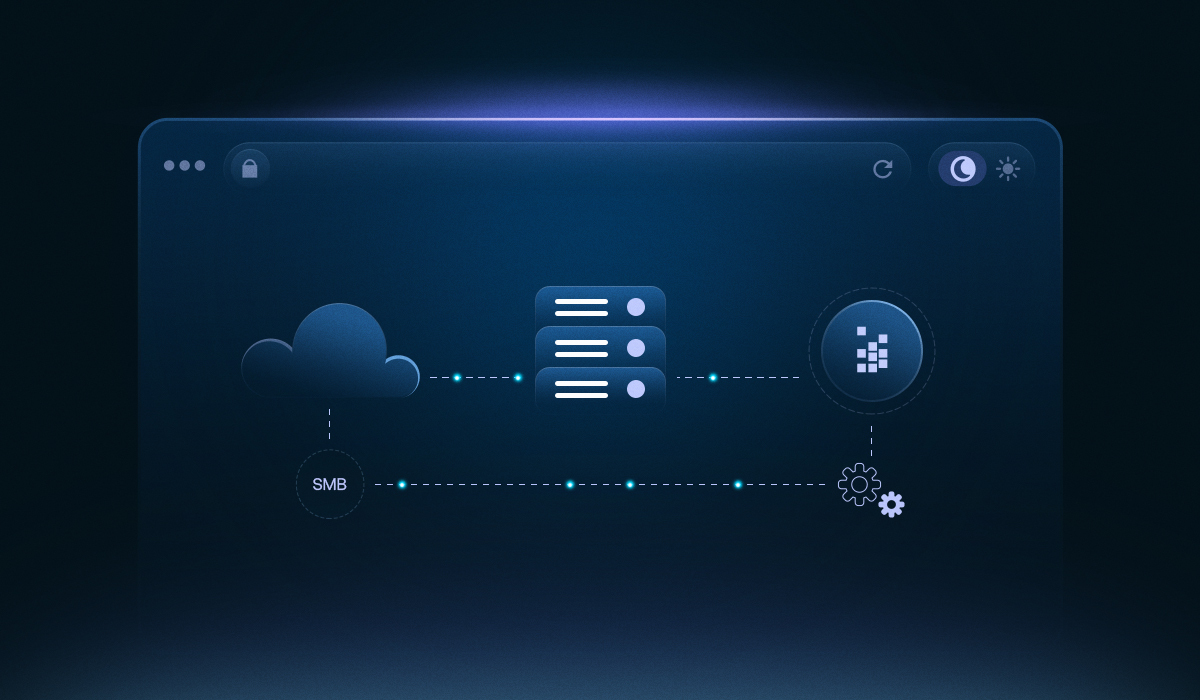
A practical guide to how SMBs integrate Unlayer with their CRM and marketing stack for seamless design-to-campaign workflows and consistent branding.